
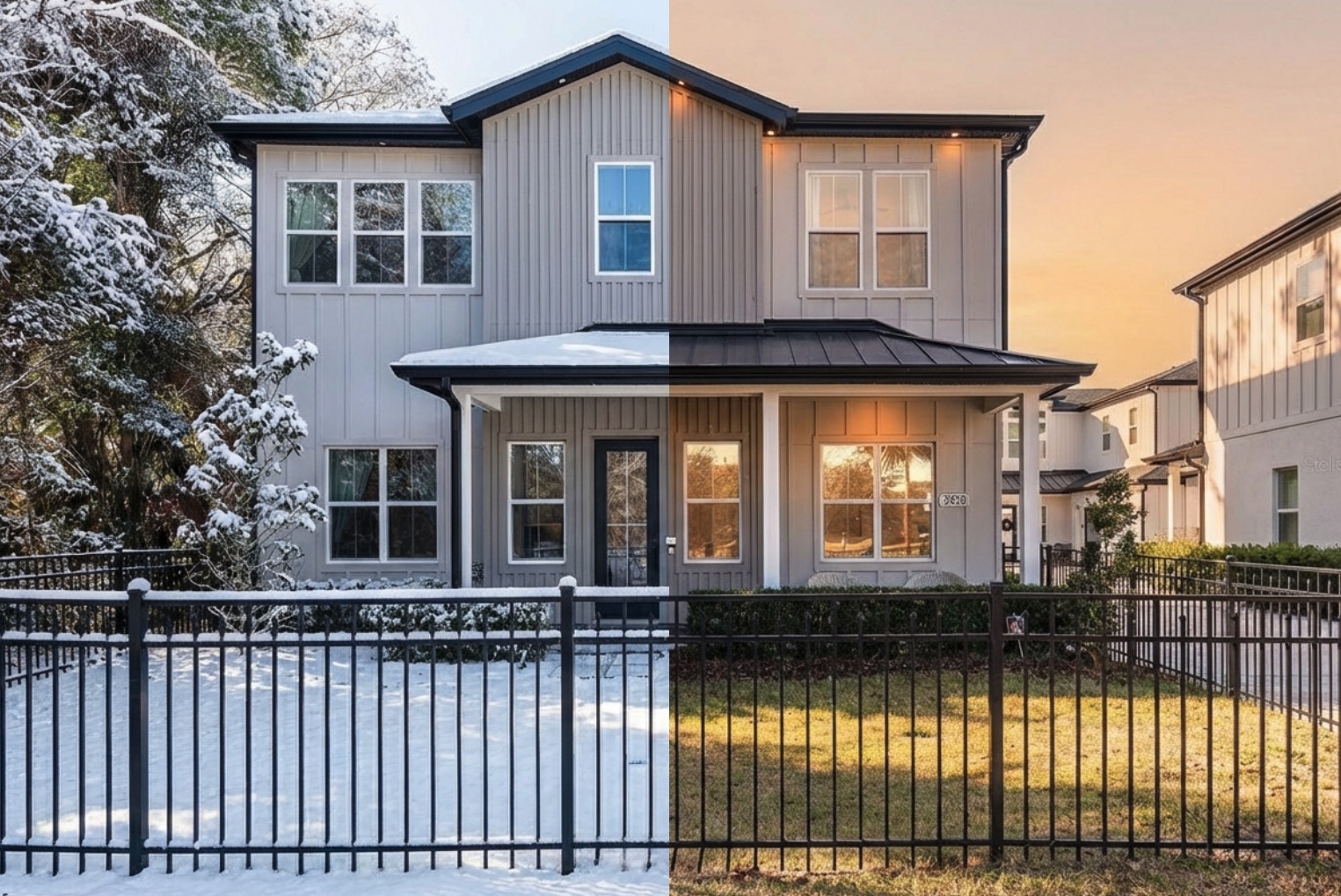
Real estate photography has a dirty secret: most listing photos are heavily edited. That "perfect blue sky" was probably grey when the photographer showed up. The "twilight exterior" was shot at 2pm. The beautifully staged living room might have been completely empty.
The difference between a listing that gets clicks and one that doesn't often comes down to photo editing. And until recently, that editing required either Photoshop skills or $5-15 per image from editing services.
AI changes this. The edits that used to take a skilled retoucher 20 minutes now take seconds.
The edits that sell houses
Not all real estate photo edits are created equal. These are the ones that actually impact listing performance:
Sky replacement is the single highest-impact edit. A grey, overcast sky makes every property look depressing. Swap it for a blue sky with some clouds and the same house looks 10x more inviting. This is so common that most professional real estate photographers do it on every single shoot.
Virtual staging fills empty rooms with furniture. An empty room photographs terribly — it looks smaller, colder, and harder for buyers to imagine living in. Staged rooms get more clicks, more showings, and higher offers. Traditional virtual staging costs $25-75 per room. AI can do it for cents.
Twilight conversion transforms a daytime exterior into a dramatic dusk shot with warm interior lights glowing. These are the hero images that stop people mid-scroll on Zillow. Traditional twilight shoots require coming back at sunset. AI generates them from any daytime photo.
Lighting enhancement brightens dark interiors, balances window blow-out, and creates that bright, airy feeling buyers love. This is basic but critical — dark listing photos kill interest.
Decluttering removes personal items, mess, and distractions. Sellers don't always prep the house perfectly for photos. AI can clean up the visual noise.
How to do it with AI
The workflow is straightforward with a tool like StaticKit:
Sky replacement: Upload the exterior photo and describe the sky you want. "Replace the sky with a clear blue sky with a few white clouds" works perfectly. The AI matches the new sky's lighting to the house, so it doesn't look pasted on.
Virtual staging: Upload the empty room photo and describe the furniture. "Add a modern grey sectional sofa, coffee table, and floor lamp. Scandinavian style." The AI generates furniture that matches the room's lighting and perspective.
Twilight conversion: Upload a daytime exterior and describe the conversion. "Convert to twilight — darken the sky to deep blue dusk, make all windows glow warm yellow, add subtle landscape lighting." One prompt, dramatic result.
Lighting fixes: Use lighting presets or describe what you need. "Brighten the interior, balance the windows so they're not blown out, make it feel bright and airy."
MLS and listing platform requirements
Different platforms want different things:
- MLS — Usually requires specific aspect ratios (often 4:3 or 3:2) and minimum resolutions
- Zillow — Prefers 1024x768 minimum, landscape orientation
- Realtor.com — Similar requirements to Zillow
- Instagram/social — Square (1:1) or portrait (4:5) for feed, 9:16 for Stories
Smart resize handles all of these from a single source image. Instead of cropping (which cuts off parts of the room), AI extends the image to fit the new aspect ratio naturally.
Cost comparison
Here's what real estate photo editing typically costs:
- Professional editing service: $5-15 per image, $25-75 for virtual staging, 24-48 hour turnaround
- Freelance retoucher: $3-10 per image, variable turnaround
- AI with BYOK tool: ~$0.02-0.05 per image, instant turnaround
For a typical 25-photo listing, that's $125-375 with a service versus ~$1 with AI. Multiply that across 10-20 listings per month and the savings are significant.
Quality considerations
AI real estate photo editing has gotten remarkably good, but know the limitations:
What works great: Sky replacement, lighting enhancement, basic decluttering, aspect ratio resizing, twilight conversions, color correction.
What works well but needs review: Virtual staging (occasionally generates furniture that looks slightly off), major decluttering of complex scenes.
What to be careful with: Don't misrepresent the property. Enhanced lighting and blue skies are industry standard. Adding a pool that doesn't exist is not. Use AI to present the property at its best, not to fabricate features.
Getting started
- Get a free Google AI API key from Google AI Studio
- Open StaticKit and add your key
- Upload a listing photo
- Start with sky replacement — it's the quickest win
- Work through lighting, staging, and resizing as needed
One listing's worth of edits will cost less than a coffee. And you'll have them in minutes instead of days.
Key takeaways
- Sky replacement is the highest-ROI edit for real estate photos. Do it on every exterior.
- Virtual staging costs cents with AI compared to $25-75 per room with traditional services.
- Smart resize handles platform formatting — one source image generates every format you need.
- AI turnaround is instant. No more waiting 24-48 hours for edited photos.
- Present honestly. Enhance what's there; don't fabricate what isn't.